Unlock all DJ tools
Upgrade to YOUDJ PRO now!* Only with YOUDJ DESKTOP for PC / MAC (free to download). Indeed these features are not possible on the web version due to technical limitations of the internet browser.
YOUDJ FREE
Only the free DJ tools
-
Free DJ tools
YOUDJ PROvides lot of free DJ tools. Actually you don't need to pay anything to have fun with the site! YOUDJ also don't have any ads because ads are annoying. If you want to step up your DJ game, you can upgrade to YOUDJ PRO.
-
Free Mobile App
YOUDJ mobile apps (iOS and Android) are entirely free, get them here
-
Free Desktop App
The YOUDJ desktop app is free, download it here
-
Free Chrome Extension
The Chrome extension allows to enable DJ features on any website, install it here
YOUDJ PRO
All the DJ tools unlocked !
-
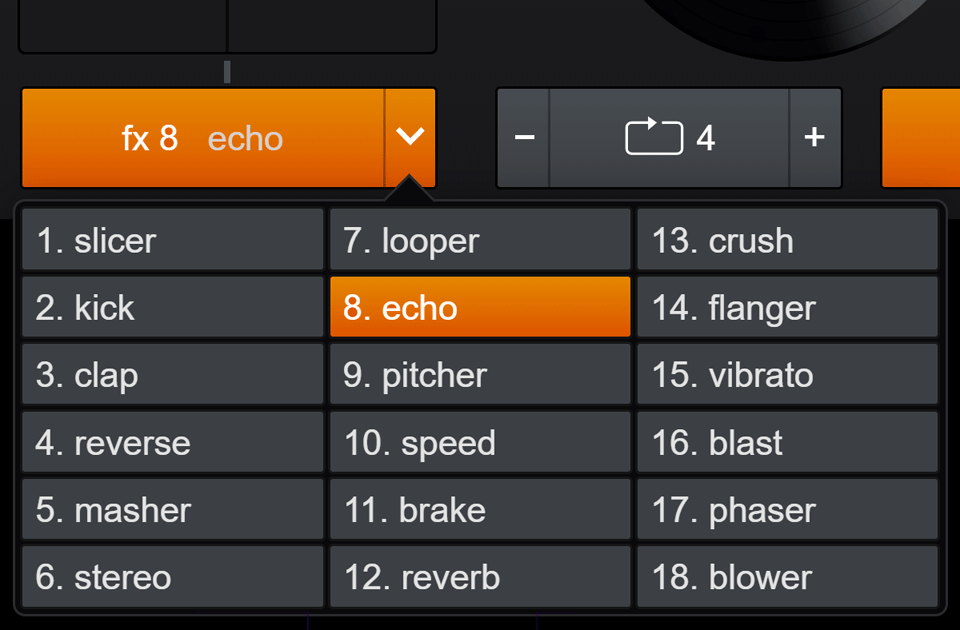
All 18 DJ effects
You can try six effects with the free version of YOUDJ, and as you can see, effects are tons of fun :)
By upgrading to YOUDJ PRO, you will get 12 MORE EFFECTS (18 effects in total), such as:- The Justin Bieber effect which transforms the voice pitch
- The max speed effects, which creates drastic speed effect
- The reverb effect, which makes your music sounds bigfont
- The beatmasher, which rearranges your beats
- And some other classic DJ effects such as the drums, the reverser, the vibrato, the blower, the resonance, the epic brake, the pingpong, the phaser.
-
Record and download your mixes
Inside YOUDJ, you can now record and save your mixes on your hard-drive as audio and video files!
More precisely, you will be able save your mix into a MP3 (all platforms) and record the video too (PC/MAC only). You will also be able to share your mixes online by uploading it on streaming platforms.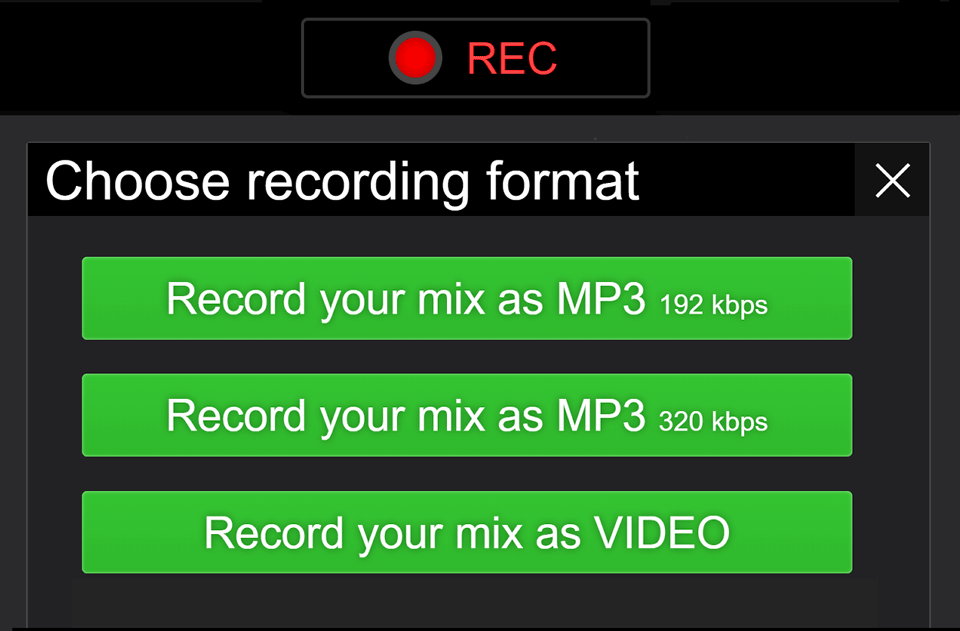
-
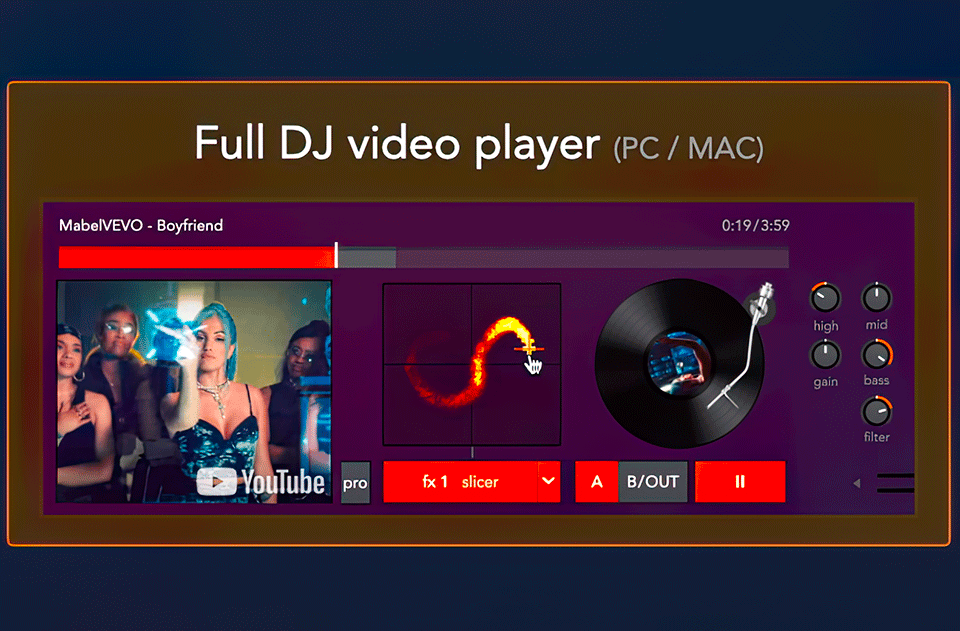
Full YouTube DJ mixer *
[Only for PC/MAC] Unlock the YouTube video player with FULL VIDEO DJ CONTROLS, such as full EQ, 14 sound effects, pitch control, manual BEATSYNC, loops, scratch, hotcues, HEADPHONES preview and MIDI... It is a must-have, you have to try it!
-
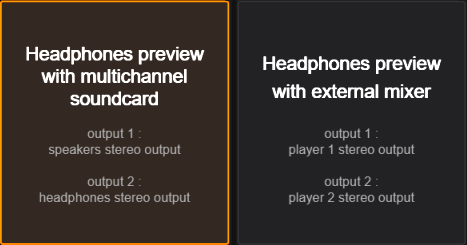
Headphones preview
YOUDJ PROvides advanced headphones preview with BLUETOOTH headphones / secondary soundcard / multichannel soundcard (like a MIDI controller) / via an external mixer.
-
Mix your local files
With YOUDJ PRO you can mix MP3 files from your hard-drive and you can even import your iTunes songs. You can finally mix your own favorite music !
More precisely, you will get a file browser which allows to explore ever folders of your harddrive (or external drives) to load and mix your own MP3 files. Note : YOUDJ Desktop brings a more advanced local file browser than the web app.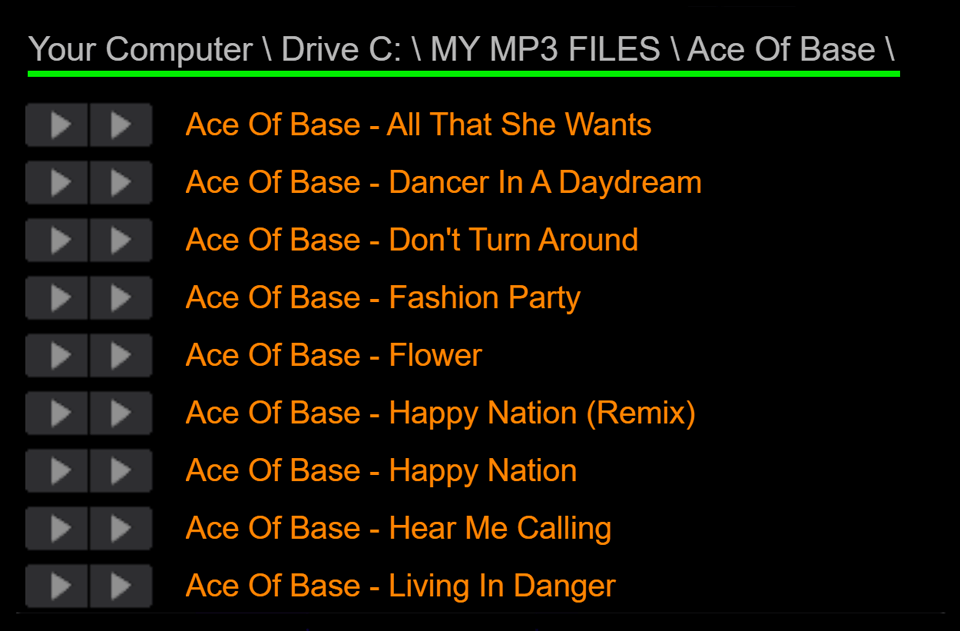
-
Full MIDI control
With YOUDJ PRO, you can control YOUDJ with ANY MIDI controller! YOUDJ is compatible with ALL controllers because MIDI is a communication standard (like USB). Also YOUDJ PROvides 120+ controller mappings and an advanced MIDI mapping editor (with midi learn). Most DJ tools are therefore mappable via MIDI (see complete list in the YOUDJ settings).
-
Live streaming *
[PC/MAC only] You can now live stream your mix on YouTube or Twitch (or any RTMP compatible platforms) directly inside YOUDJ! The audio and the video is streamed in realtime.
-
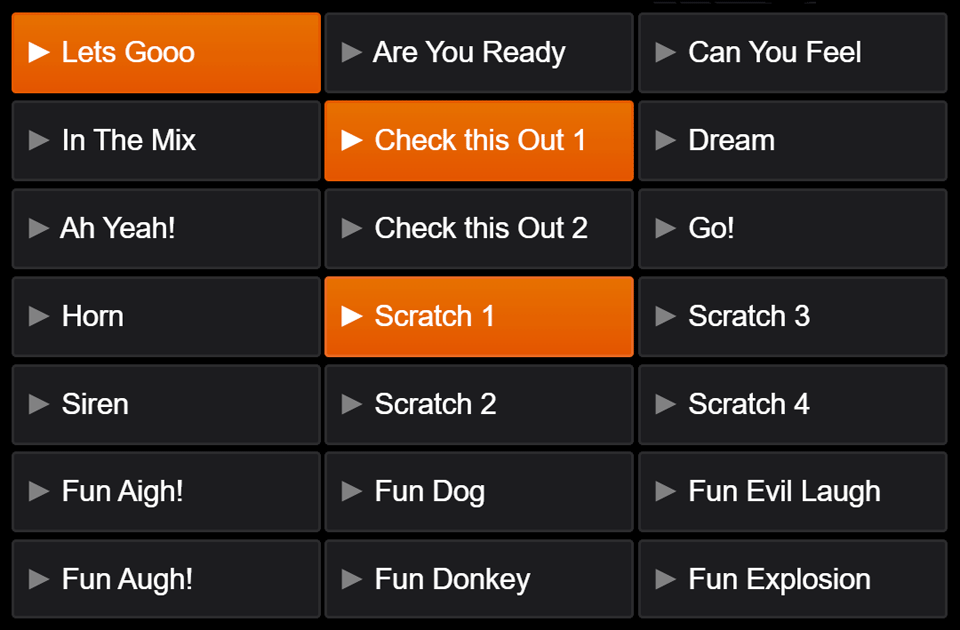
70 more samples
Sample are short sounds you can play on top of your mix. All DJs are using samples to spice up their mixes.
By upgrading to YOUDJ PRO, you will get 70 MORE SAMPLES, such as :- Fun sounds (evil laugh, donkey, scream, pikachu...)
- Speaker sounds (I'm your DJ, let's gooo, oh my god...)
- Intro sounds (countdown, danceclub intros, thx intro...
- Must have sounds (siren, scratch, distortion, fx, drums...)
-
PRO tools panel
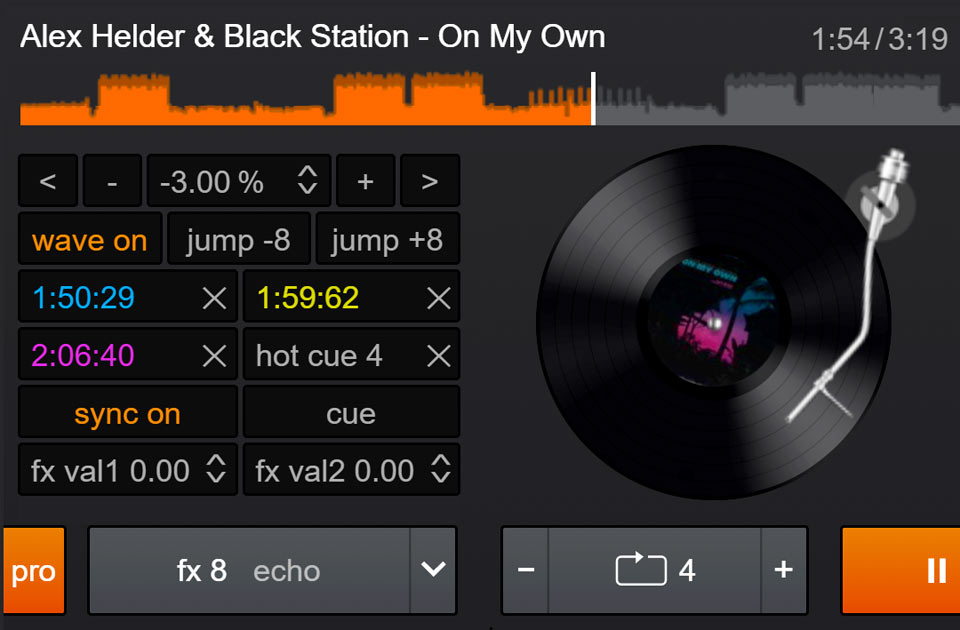
Some essential DJ controls are not in the free version.
By upgrading to YOUDJ PRO, you will get access to some advanced controls which are used by DJs such as :- The hotcues, which allows to remix songs as a piano
- A BPM column will appear in the song browser / playlists
- Extended mixer with high frequency and gain knobs
- Manual BPM control, beatsync and keylock
- Beatjump, pitchbend, CUE button...
-
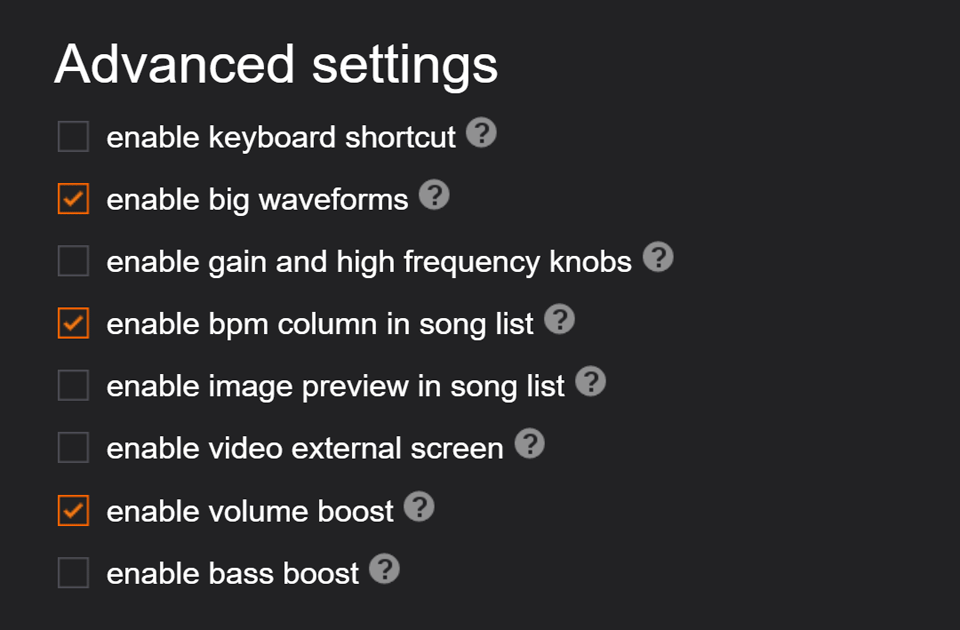
12 more features in the settings panel
By upgrading to YOUDJ PRO, you will get access to 12 MORE SETTINGS in the settings panel, such as :
- Control the app with keyboard shortcuts
- Headphone preview to preview the next songs
- Output the video on an external screen (beamer, tv...)
- Bigfont horizontal waveform for accurate mixing
- Low audio latency mode
- Volume boost and bass boost
-
iTunes Library / Google Drive / Dropbox
Import and mix your own MP3 files from iTunes/Music app, Google Drive and Dropbox!
-
Video tutorials by a pro DJ coach
Access to a complete set of 8 DJ courses (total of 2 hours) made by a professional DJ coach, DJ Hapa. See the Tutorials page for more info.
-
Public or professional use
Only with YOUDJ PRO, you are allowed to use the app for a public or professional use. Please respect this.
-
Support me
As you know, I am a solo programmer building YOUDJ by passion, many things are free, so you can upgrade to thank me for my work and allow me to continue working on YOUDJ (not having another job). Thank you so much in advance. Erik the programmer
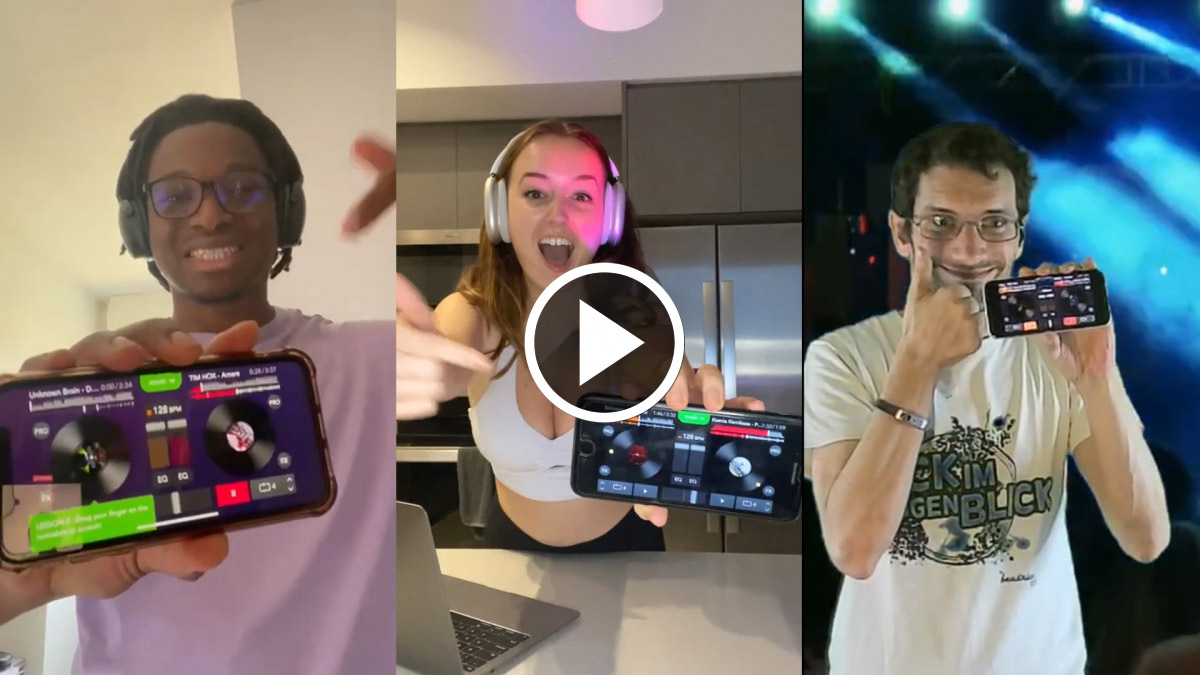
Presentation video of YOUDJ PRO features
If you need to translate this video, watch it on YouTube
User feedback
Ranked 4.7 / 5 on Google Play (by 20k voters) [link]
Ranked 4.8 / 5 on Apple Store (by 10k voters) [link]
'Shocking how easy they make this! a complete newbie can mix perfectly' - Google Store
'Damn this is fun. I'm terrible at mixing but it still makes me feel awesome' - Reddit
'Best money I have ever spent. Works beautifully, thank you so much for making this available :)' - Disqus
'Wow this is so amazing! I can use this for party! I'm now a DJ' - Google Store
'Such a simple interface, yet is a very powerful app' - Google Store
'Super fun and highly addictive' - DigitalDJTips